

WHAT’S NEW IN SYNAPPTIC VERSION 11?
We’ve listened to feedback from all our valued customers and partners in developing new features within Version 11.
Version 11 includes “WhatsApp made easy” – making it simpler than ever to send messages, photos and make audio and video calls.
It also introduces VisionBot, a brand-new feature that lets you point your camera and hear a description of what’s in front of you, along with improved notifications, ChatBot, smarter Voice Control and enhanced Calibre audiobook browsing.
Here are the top 5 new features explained in more detail:
1. WhatsApp made easy!

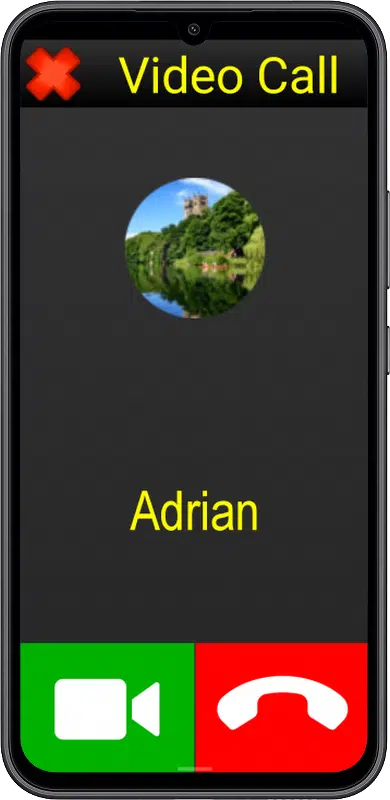
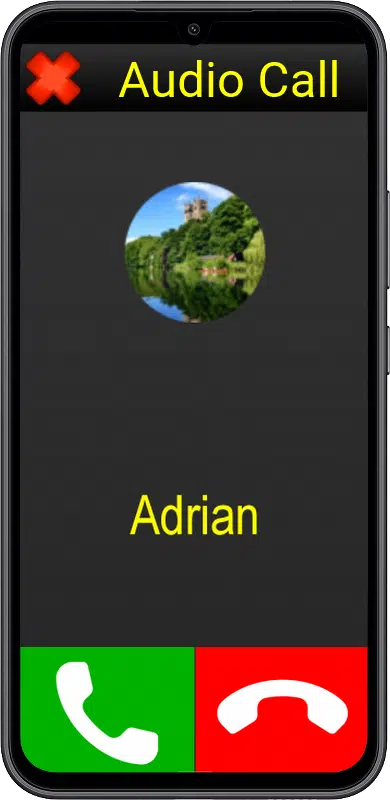
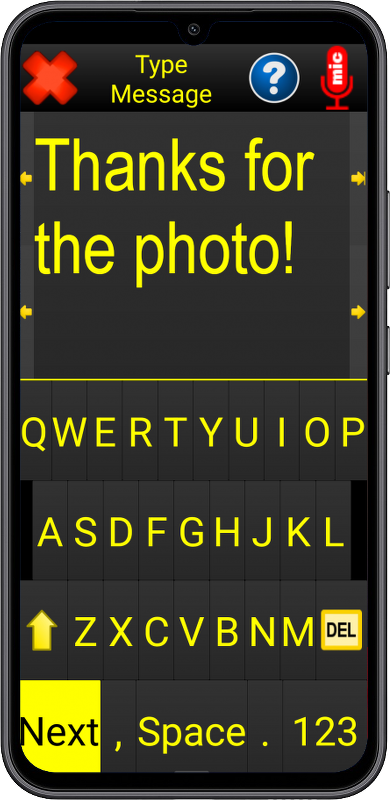
Until now, WhatsApp could only be used by opening the app and relying on Synapptic Reader to read out buttons and text.
With Version 11, you can now access WhatsApp through a dedicated Synapptic menu, allowing you to make audio and video calls and send messages using familiar, simple screens. Messages are created using clear, guided steps and are then sent using WhatsApp — without needing to use the WhatsApp app for most tasks.
You can send messages, photos and voice messages with clear guidance, while large, easy-to-use buttons make it simple to accept, reject and end calls. Now you can use WhatsApp in a much simpler and more accessible way.
2. VisionBot – Describe the world around you



VisionBot is a powerful new AI feature that enables you use your camera to better understand the world around you.
It can be accessed from the Synapptic Toolbox or added to your Main Menu for quick and easy access. Simply point your camera and VisionBot will describe what it can see, including people, text, objects and surroundings.
For example, at a train station it may describe a departures board, and you can then ask what time a particular train leaves. In a café or shop, you might ask whether there is a person at the counter or what is happening in front of you.
VisionBot can also read printed and handwritten text, signs and labels aloud, helping you access information wherever you are. It can even describe photos you have taken or received, making it easier to understand images shared with you or that you have shared.
Designed to be simple and intuitive, VisionBot works with a straightforward point-and-tap approach, giving you quick and useful information when you need it.
3. Notifications – Never miss a message
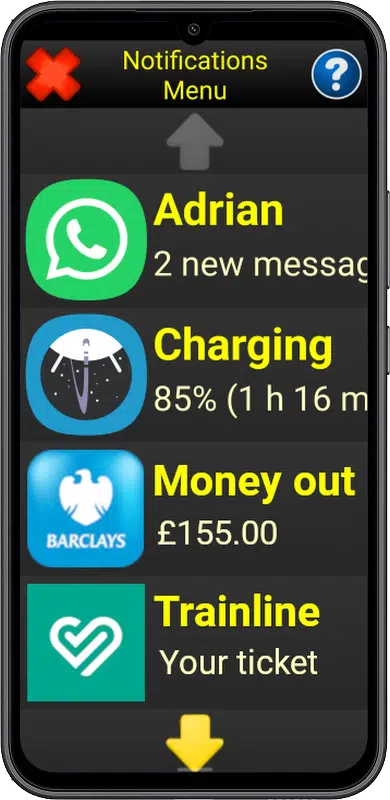
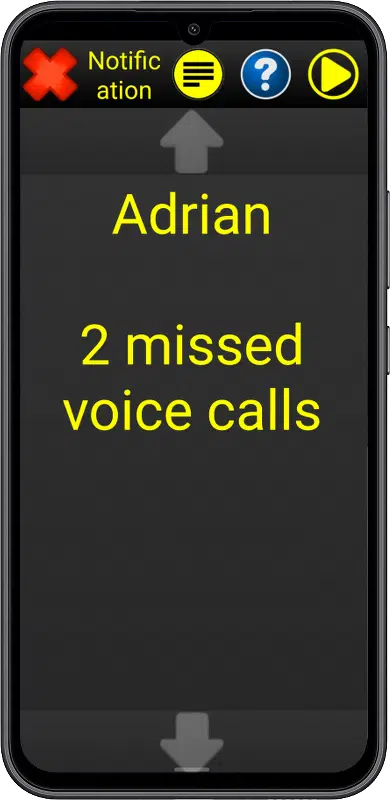
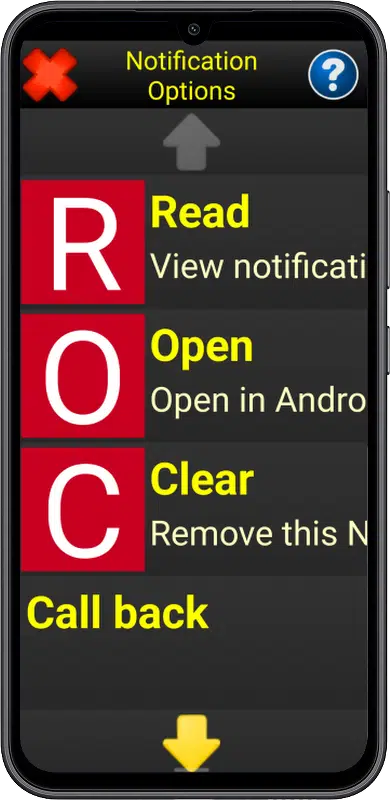
Apps on your phone, as well as Android itself, can send important notifications about messages, missed calls and other alerts.
Version 11 introduces a new Notifications menu to make accessing and acting on notifications much easier within Synapptic.
Found in Phone or Tablet Info, the Notifications menu brings everything together in one simple place, allowing you to stay on top of messages, updates, battery warnings and other alerts without needing to search through different apps. For even quicker access, the Notifications option can also be placed on your Main Menu.
You can quickly return missed calls, reply to messages and view important alerts such as banking or security notifications. When you select a notification, Synapptic can take you straight to the relevant place in the app, making it quicker and easier to take action.
This makes it much easier to catch up on anything you’ve missed and respond quickly.
4. Ask Synapptic – Enhanced voice control with AI
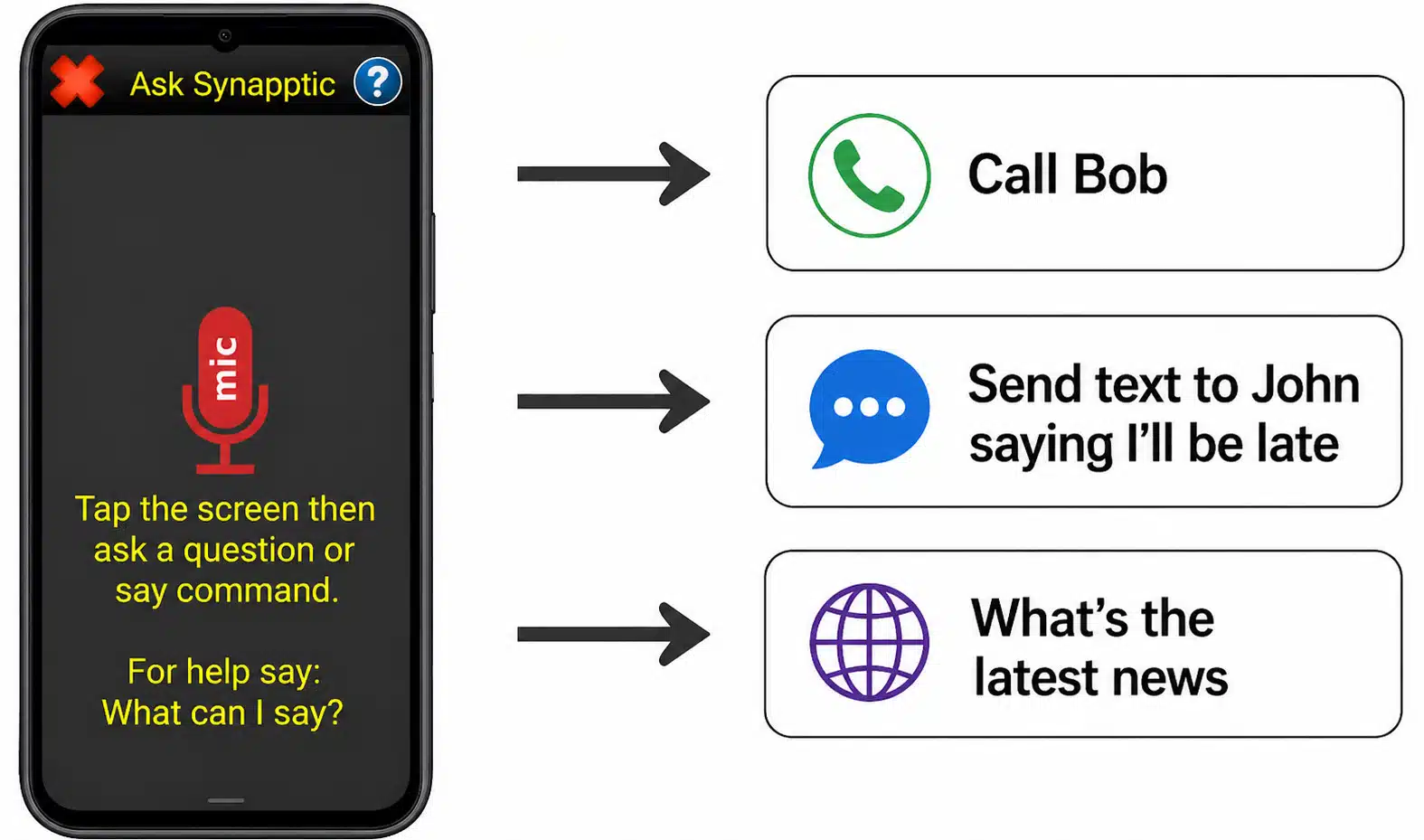
Voice Control and ChatBot have now been combined into one simple, powerful feature, using the latest AI-powered technology.
With Ask Synapptic, there are no commands to remember—just speak naturally. You can ask Synapptic to carry out everyday tasks such as calling a contact, sending a message or finding out what is in front of you. For example, you might say “Please can you call Anna”, “Send a message to John saying I’ll be late” or “What’s in front of me?”, and Synapptic will understand and respond accordingly.
It can also be used to find up-to-date information from the internet. You can ask questions such as “What’s the latest news today?” or “What time does Tesco Durham close today?”, and receive clear, spoken answers without needing to search manually.
By combining voice control with intelligent responses, Ask Synapptic provides a faster, more natural way to interact with your device and get things done.
5. Enhanced Calibre audiobooks – Find and enjoy books more easily
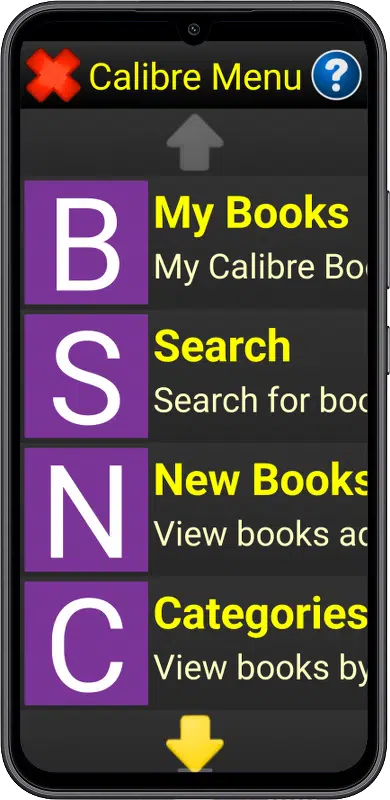
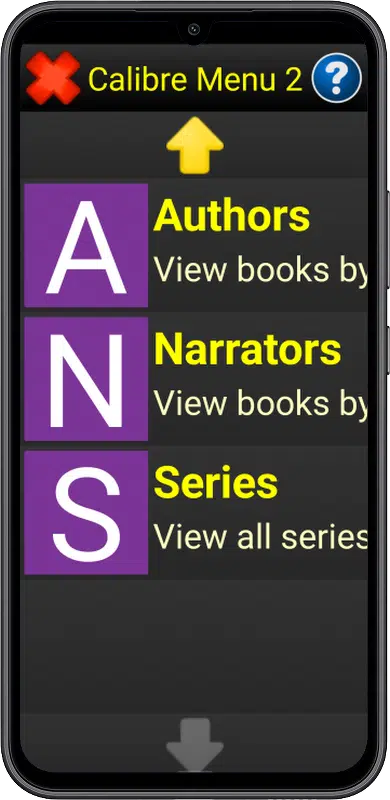
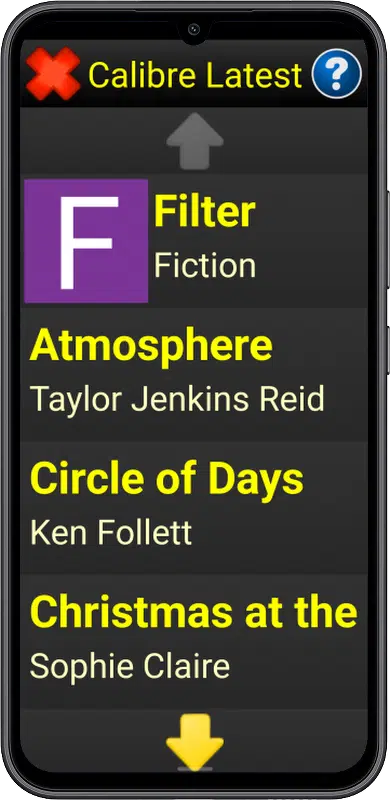
Finding and enjoying Calibre audiobooks is now simpler and more flexible.
With Version 11, you can browse your Calibre audiobook collection by author, narrator, category or series, making it much easier to find exactly what you’re looking for. It’s also easier to find books recently added to the Calibre library, so you can quickly see what’s new.
If you’re enjoying a book you’re currently listening to, you can use the new “More by this author” option to discover additional titles by the same author, making it easier to explore more books you’ll enjoy. This means less searching and more time to listen!
6. Other minor enhancements and performance improvements

We are constantly improving Synapptic so it works smoothly with the latest devices, apps and technologies.
Version 11 includes a range of updates to improve performance, reliability and compatibility, helping your device run more smoothly and consistently day-to-day. These updates also help Synapptic continue to work effectively with services such as Android, email, entertainment features and other third-party systems.
How do I get Version 11?
To update, simply select Updates from the Synapptic Settings menu and follow the on-screen instructions. The update usually takes just a few minutes.
Alternatively, you can call our technical support team 0191 909 7 909 (option 2), who will be happy to guide you through the process.